
Executive Summary
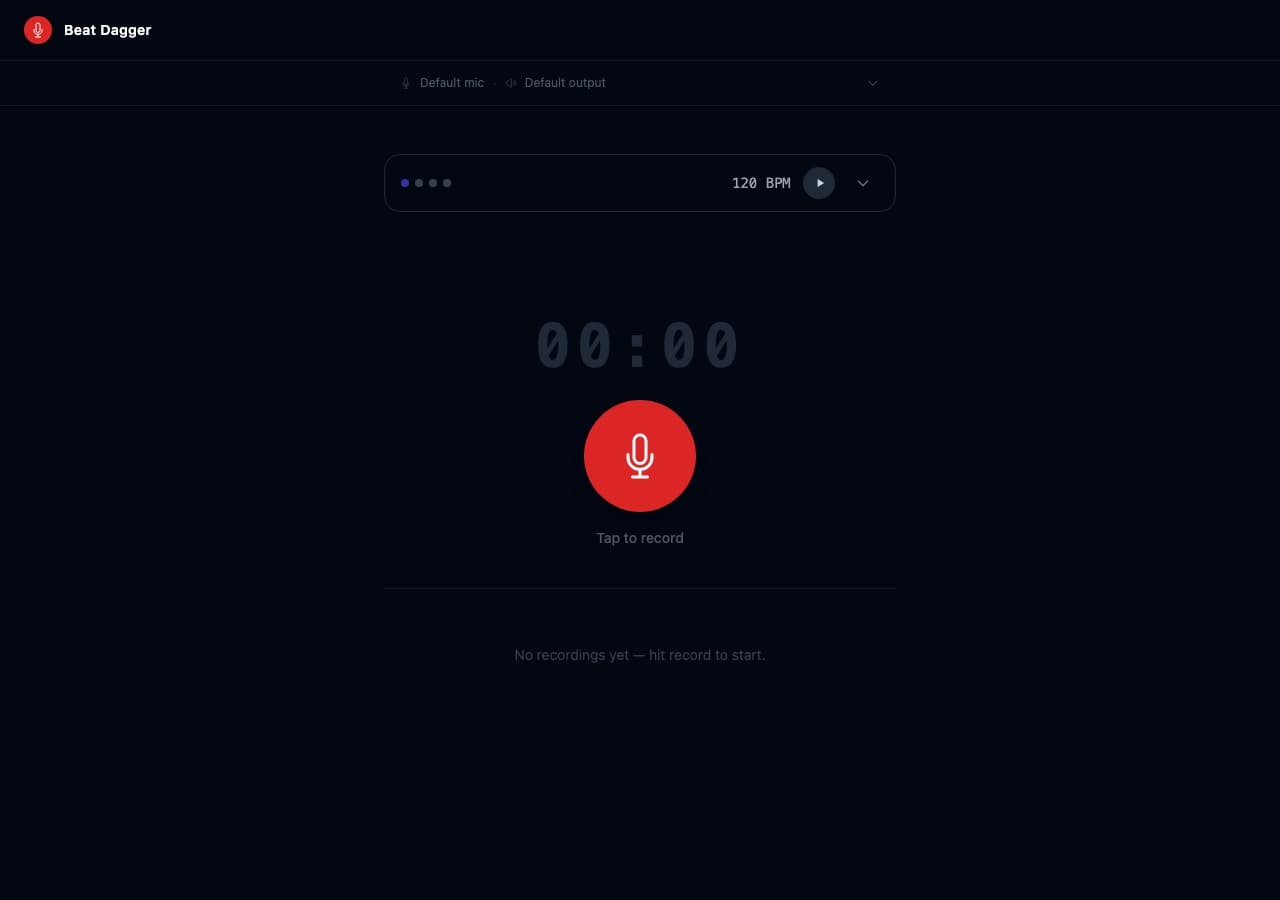
Beat Dagger is a browser-based musician's tool I built for myself: record audio takes with a precision step-sequencer metronome running alongside, review your waveform, save named presets for different songs, and build a local library of recordings. No server. No sign-in. No installs.
It solves a specific friction point for solo musicians: getting a solid rhythmic reference into a take without juggling a separate metronome app. Everything lives in one screen.
< 1ms
Beat accuracy: look-ahead Web Audio scheduler, immune to JS event-loop jank
6
Time signatures: 2/4 through 7/8, with per-beat accent/ghost/mute and 16th-note subdivision
0
Server: 100% local storage via IndexedDB, no auth, no data sent anywhere
Try It
The Problem
Solo musicians recording at home have to juggle a DAW, a separate metronome app, and a recording interface, and none of them talk to each other. When you hit record, you're hoping the timing reference you set up is still running, and that your take starts in sync with beat 1. It usually doesn't.
Beat Dagger collapses everything into one screen: build your click track, set a count-in, hit record, and your mic opens exactly on beat 1.
The Strategy
The core design principle: collapse the studio problem into a single screen. One surface for building your click track, recording your take, and reviewing the result, no app switching, no timing drift.
- Record to the beat: count-in ticks before the mic opens, so beat 1 is aligned by design, not by luck
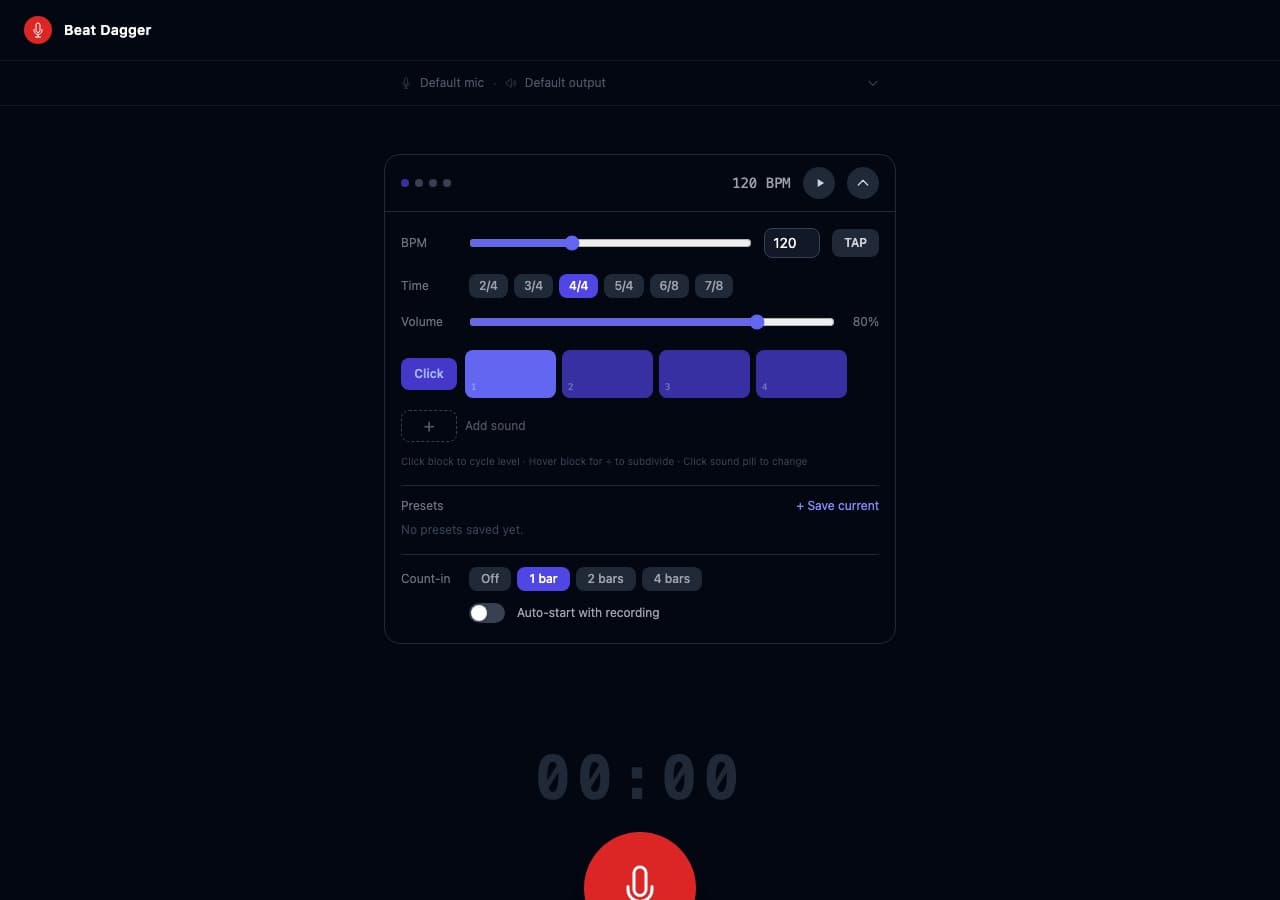
- Step sequencer as the click track: up to 4 customizable sound rows with per-beat accent, ghost, and mute levels, precise enough for odd time signatures, simple enough to set in seconds
- Immediate waveform review: WaveSurfer renders the recording with beat markers right after capture, so you know whether the take is worth keeping before you move on
- Named presets per song: save full metronome configs: BPM, time signature, pattern, count-in, so switching between sessions is instant
- Local-first storage: recordings live in IndexedDB, named and timestamped; no account, no server, no friction
Key Design Decisions
Look-ahead audio scheduler
The metronome uses a look-ahead scheduler (25ms lookahead, 150ms schedule window) rather than setInterval. Beats fire with sub-millisecond accuracy regardless of JavaScript event-loop jank. The audio context is created synchronously inside the user gesture call stack, a Safari requirement that most implementations get wrong.
Zero-latency mic acquisition
getUserMedia is called during the count-in rather than at the moment recording starts, so microphone permission latency doesn't delay beat 1. The user hears the count-in while the mic warms up in the background.
IndexedDB persistence without Blob
Safari's structured clone algorithm rejects Blobs in IndexedDB. All recordings are stored as ArrayBuffer + MIME type instead, a non-obvious fix that makes the library work identically across Chrome, Firefox, and Safari without a workaround layer.
Runtime MIME detection
MediaRecorder MIME type is detected at runtime: audio/mp4 on Safari, audio/webm;codecs=opus everywhere else. No user-agent sniffing, just MediaRecorder.isTypeSupported().
Key Features
| Area | Detail |
|---|---|
| Step sequencer | Up to 4 rows, 5 sounds, per-beat level cycling (accent → normal → ghost → mute), optional ÷4 subdivision |
| Time signatures | 2/4, 3/4, 4/4, 5/4, 6/8, 7/8 |
| BPM | 20–300, with tap tempo |
| Count-in | Off / 1 bar / 2 bars / 4 bars |
| Presets | Save/load/delete full metronome configs by name |
| Recordings | Named, timestamped, waveform playback via WaveSurfer |
| Storage | 100% local: IndexedDB, no server, no auth |
Key Screens
Collaboration
Built independently as a side project for personal use. Every decision came from direct experience with the problem. No stakeholders, no briefs, just a specific workflow friction point and a weekend to solve it.
Outcomes & Impact
- Live at beat-dagger.vercel.app, deployed as a static Vercel app with zero server cost
- Works identically across Chrome, Firefox, and Safari (four targeted Safari compatibility fixes)
- Demonstrates range: Web Audio API scheduling, IndexedDB persistence, and waveform rendering in a production-grade client-side app
Leadership
- Identified a real personal workflow problem and shipped a solution rather than reaching for an existing app
- Navigated four non-obvious browser compatibility issues without libraries or polyfills
- Built for zero operational overhead: no server, no database, no maintenance cost