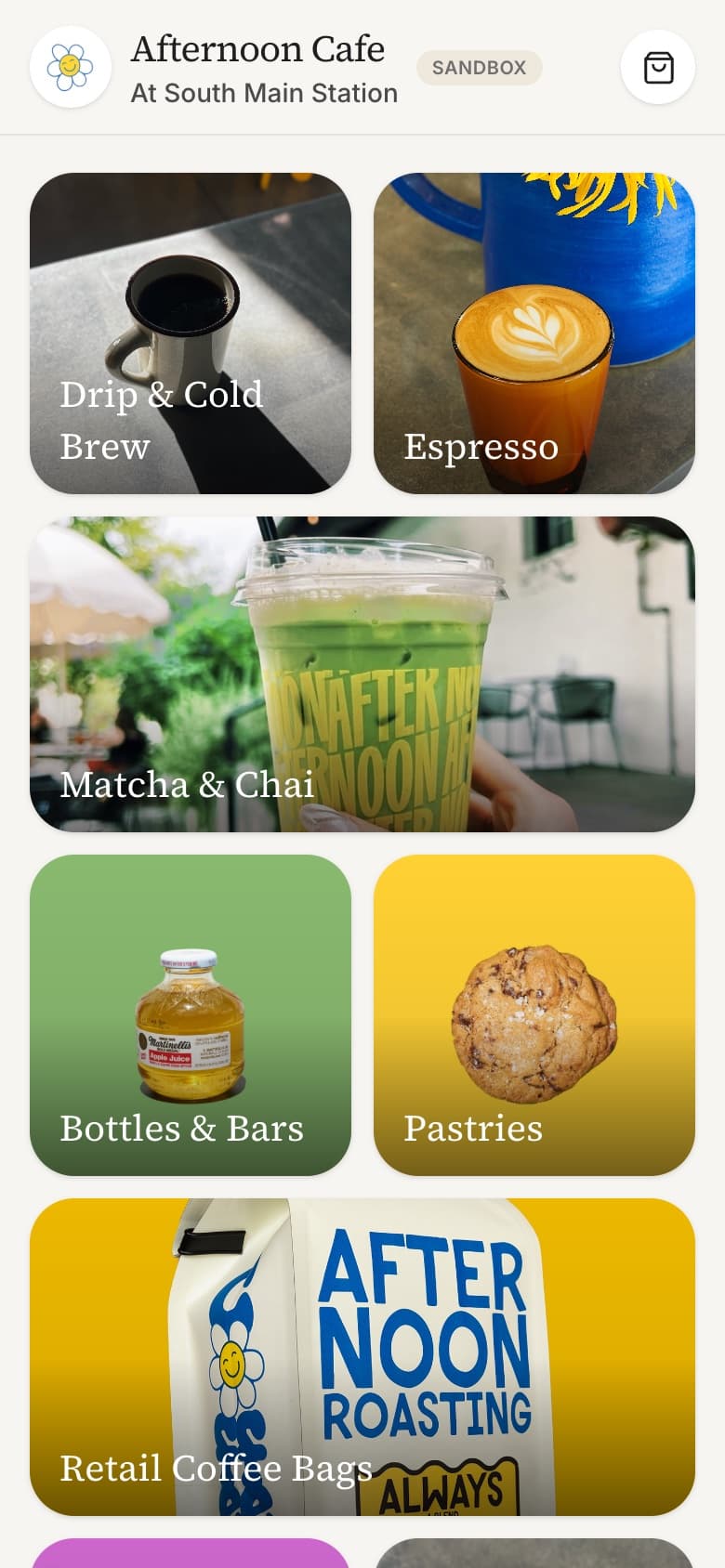
Executive Summary
Afternoon Orders is a mobile-first ordering PWA for a real coffee shop, built directly on Square rather than a third-party ordering platform. Customers browse a live Square-backed menu, customize drinks by size and modifier, pay by card, and get a real pickup order back from Square, no app install required.
It solves a specific gap: Square's own online ordering products are either bundled into a generic storefront template or locked behind a higher-tier plan. This app reads the shop's actual Catalog, Orders, and Payments data directly through Square's APIs, so the ordering experience can be built to match the brand instead of a template, with the shop's live menu and hours as the single source of truth.
27 / 9
Menu items across categories, synced live from Square's Catalog API, zero hardcoded content
3
Square APIs wired directly: Catalog, Orders, and Payments, no third-party ordering platform in between
The Problem
Most ordering-app design assumes a morning rush: a line out the door, a customer trying to skip the queue, a UI built to shave seconds off checkout. This shop's actual traffic is different. It's an afternoon cafe. The crowd is slower, more likely to browse a matcha or a pastry they haven't tried than to blast through a repeat order on autopilot.
Designing for rush-hour throughput would have meant a dense, list-first, get-to-checkout-fast layout, the same shape as every quick-service ordering app. That would have been the wrong tool for this traffic pattern. The real friction wasn't speed, it was discovery and trust: does a customer know what's good here, do they know if the shop is even open right now, and can they get a pickup time that actually matches when they'll arrive.
The Strategy
- Browse-first, not order-first. A bento-style category grid built from the shop's own product photography sits above the menu list, inviting exploration before urgency, matching a browsier afternoon crowd rather than a queue-skipping rush crowd.
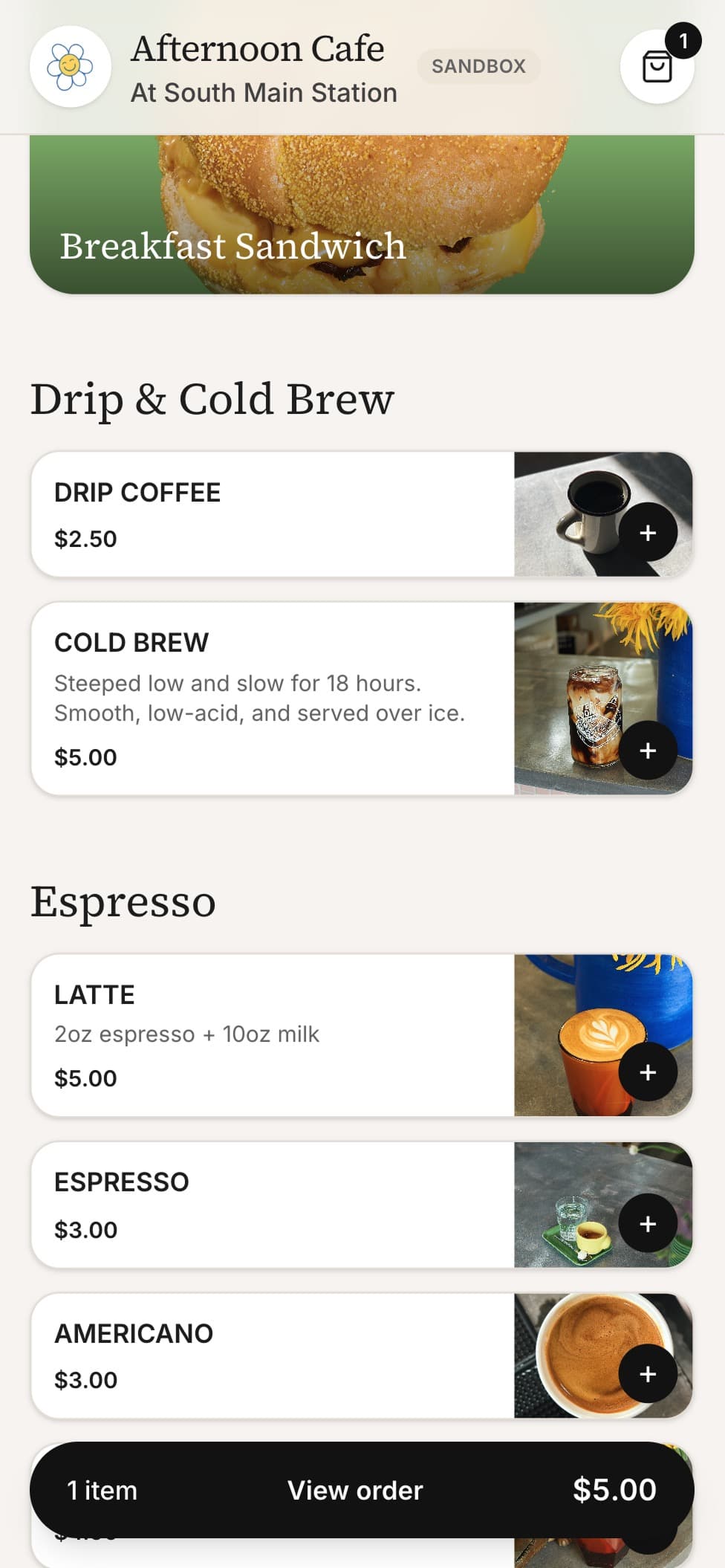
- The menu is the source of truth, not a CMS. Items, prices, images, modifiers, and hours all come straight from Square's Catalog and Business Hours APIs. Nothing about the menu is duplicated or hand-maintained in the app.
- Trust the platform for money. Cards are tokenized client-side through Square's Web Payments SDK; the server never sees card data. Every price and tax total is resolved by Square's Orders API, so a total can't be tampered with from the client.
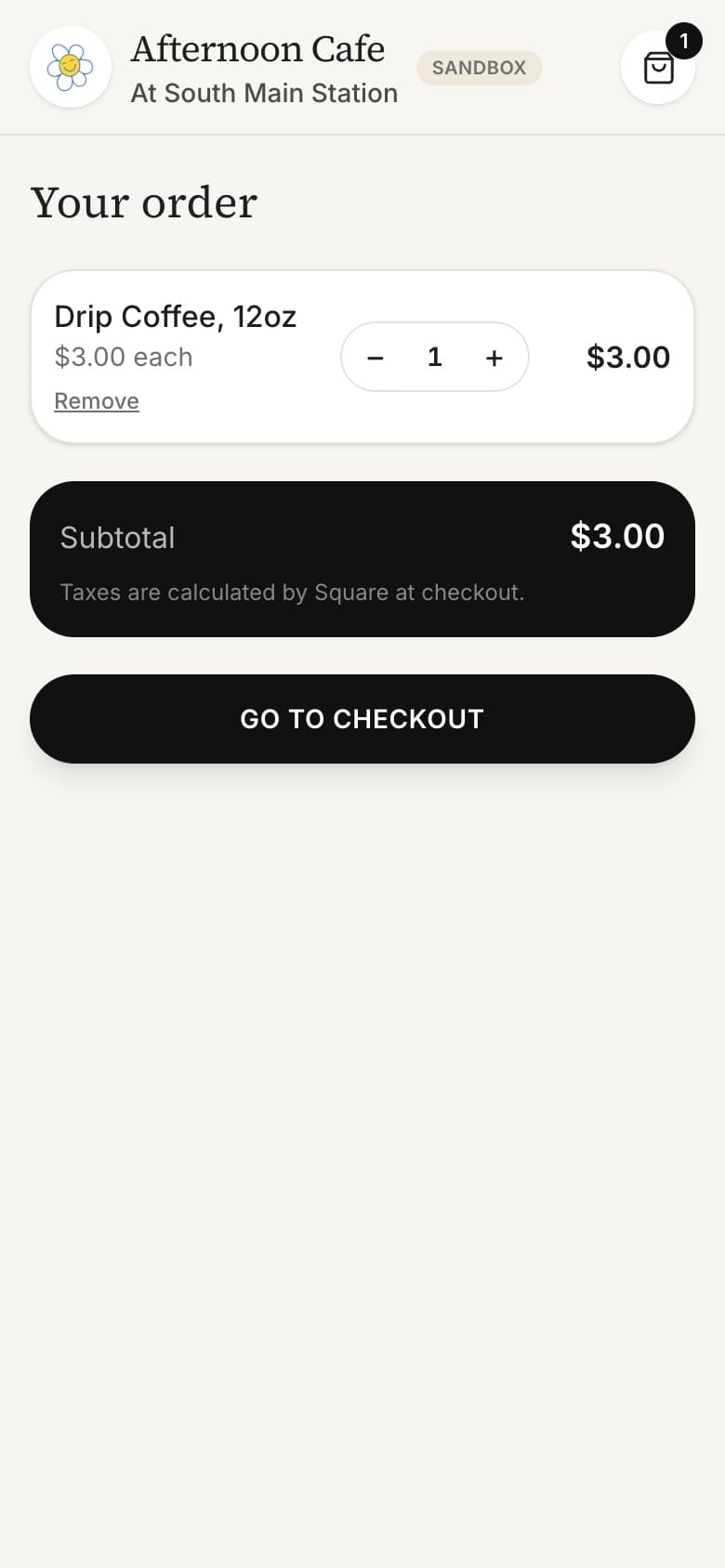
- Local-first cart. The cart lives in localStorage. No accounts, no server round-trip just to hold an item in a bag.
- Fail open, not closed. Any transient read failure on hours or closures defaults to "open." A Vercel or Edge Config hiccup should never be the reason a real customer can't place a real order.
Key Design Decisions
A shareable menu item, without leaving the menu
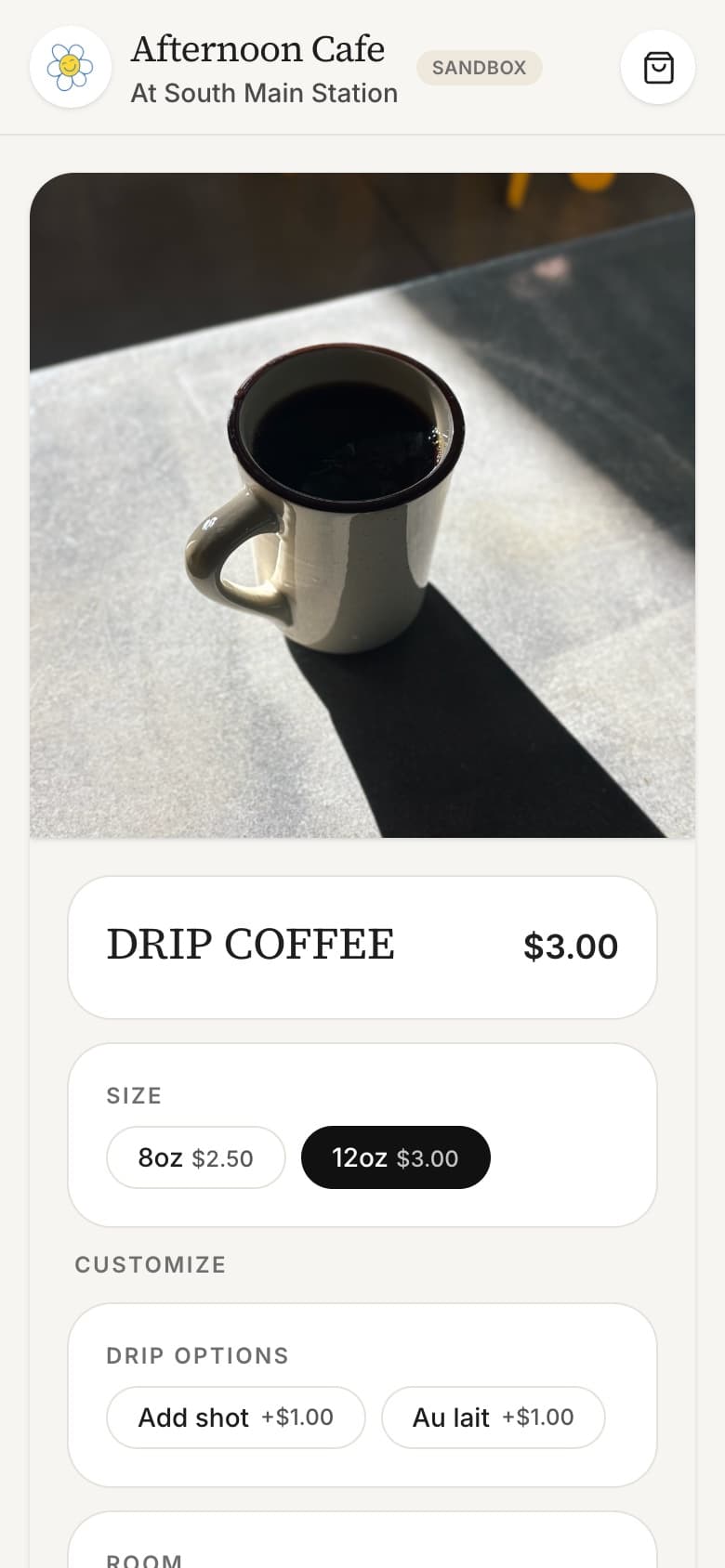
Tapping a menu item opens its details as an overlay right on top of the menu, so browsing never feels interrupted. But the link still changes to that item's own page, so a customer can share a drink with a friend or open it directly and land on the same details, not just a blank menu. The tradeoff is a deliberate one: every time that overlay opens, it pulls a fresh read from Square rather than a cached copy, because a menu that can change mid-shift is worth a little extra loading time to keep accurate.
Closures the shop's own tools can't handle
Square's own online store lets an owner mark the shop closed for a date range, but that setting isn't visible to a custom-built storefront like this one. So closures, both one-off days and recurring blocks like "closed Saturdays until 10am", live in a separate, lightweight store the owner manages from a private admin page. Everyday checks read from a fast cache; the admin page itself writes and re-reads through a slower but always-current path, so two closures entered back to back can't accidentally overwrite each other.
Two customized drinks never collide in the cart
A drink with no customization is tracked by its own identity alone. A customized one, say an oat-milk latte, is tracked by its identity plus its specific choices. That way, an oat-milk latte and a regular latte sit as two separate lines in the cart, but ordering the exact same oat-milk latte twice correctly bumps the quantity instead of adding a duplicate row.
Letting a customer choose "nothing, thanks"
Some drink customizations are optional, and Square's own modifier format has no built-in way to represent a customer deliberately choosing none of the options. The app handles that with a placeholder "no selection" state that lives only on screen and gets stripped out before the order is ever sent to Square. An earlier version of the app skipped that step and let the placeholder leak into a real order, a bug now closed off for good.
Key Features
| Area | Detail |
|---|---|
| Menu | Synced live from Square's Catalog API: 27 items across 9 categories, no hardcoded content |
| Discovery | Bento-style category grid (mixed square and wide tiles) surfaces product photography above the scrollable list |
| Customization | Per-item size selector plus radio and checkbox modifier groups with live price deltas |
| Cart | Quantity stepper, remove, localStorage persistence, no login required |
| Checkout | ASAP or 15-minute pickup, Square Web Payments SDK tokenization, server-side order and payment creation |
| Hours & closures | Live Square business hours plus an owner-editable admin panel for one-off and recurring closures, backed by Edge Config |
| PWA | Installable web app manifest and an offline app-shell service worker |
| Confirmation | Order confirmation page reads the placed order back from Square directly |
Key Screens
Collaboration
Built independently as a side project for a real coffee shop, with no external stakeholders or design briefs. Every decision, from the bento grid layout to the closures system, came from direct reasoning about the shop's actual traffic pattern and Square's actual API surface, not a handed-down spec.
Outcomes & Impact
- Live at afternoon-orders.vercel.app, a real ordering flow running against a Square sandbox environment
- Demonstrates a full-stack Next.js 16 App Router build: intercepting routes, server-side Square Catalog/Orders/Payments integration, and a client-tokenized payment flow
- Installable as a PWA on mobile, with an offline app-shell service worker
- Built a custom closures system to cover a real gap in Square Online's own restricted-dates feature
Leadership
- Chose to build directly on Square's raw APIs instead of a templated storefront, trading a slower start for full control over the brand experience
- Identified that Square Online's closure feature has no public read API, and designed a bolt-on Edge Config system rather than working around it with a workaround inside Square itself
- Decided the app should fail open on every non-critical read (hours, closures) so a transient infrastructure issue never blocks a real order
- Set the discovery-first layout deliberately against the rush-hour ordering-app norm, based on the shop's actual afternoon traffic pattern rather than a generic best practice