Executive Summary
Neurotone's provider guides are designed in Figma, translated first by AI, and then corrected by native-speaking reviewers. Every round of fixes meant someone on our team retyping a reviewer's notes into Figma, re-exporting, and checking whether the French still fit the layout. I designed and built a web editor that removes that loop: translators open the guide, see it exactly as the PDF looks, click any line to fix it, and download the finished PDF themselves.
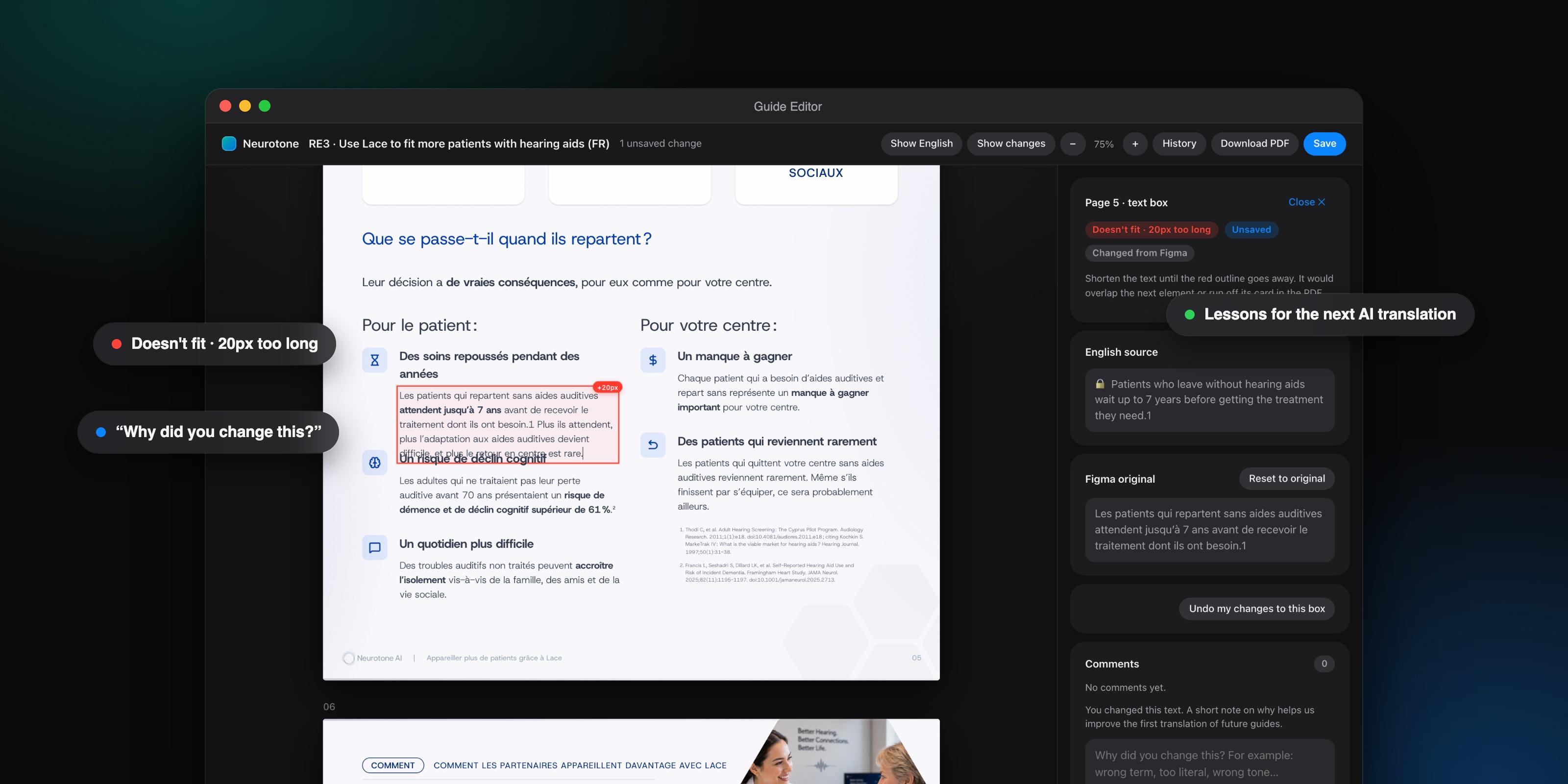
The editor checks every edit against the design as it's typed. If a line no longer fits its card, the box turns red and shows how many pixels it's over, so the problem gets fixed by the person who caused it.
Then it closes a second loop. When a translator changes a line, the editor asks why. Those reasons become lessons in the AI translation prompt, so the next guide's first translation already avoids the mistakes reviewers fixed in the last one.
28
Pages in the pilot: the French versions of three Rec Engine provider guides
26 → 6
A native reviewer's comments on one guide, turned into six lessons for every future translation
0
Figma seats or passwords for translators: sign-in is just their email
The Problem
The guides are a sales tool. Clinics read them before deciding to adopt Lace, so a translated guide has to look as finished as the English one. The old process didn't make that easy.
- Translators couldn't edit in Figma, so fixes came back as notes and annotated PDFs
- Our team retyped every fix, then re-exported to see whether it fit
- French runs longer than English, so text overflowed cards and nobody knew until the PDF
- French typography needs narrow no-break spaces before
: ; ! ? %, which are easy to miss and hard to spot - Reviewers' corrections stayed in the guide they fixed, so nothing stopped the AI from repeating them in the next one
- There was no record of who changed what, or which version was approved
The Strategy
- Edit on the page, not in a form. Translators work on the real layout, so they see the result of every word they change
- Catch problems while typing. Fit and French spacing are checked live, at the source, instead of in a review round later
- Make every fix teach the AI. A reviewer's reason for a change should improve every future first translation, not just this sentence
- Keep Figma as the design tool. Guides are imported from Figma, and the English design stays there. The editor only owns the translated text
- Make nothing destructive. Every save is a version, restoring saves a new version, and only our team can approve what gets published
Key Design Decisions
The page is the interface
Each page is the Figma design rendered as a text-free background, with every text box placed on top at its Figma position, size, and style. Click any text to edit it. The English source sits alongside in the sidebar, locked, so translators always know what they're translating without leaving the page. The interface around the page is dark, so the white guide pages read as the thing being worked on.
A fit check that shows the problem
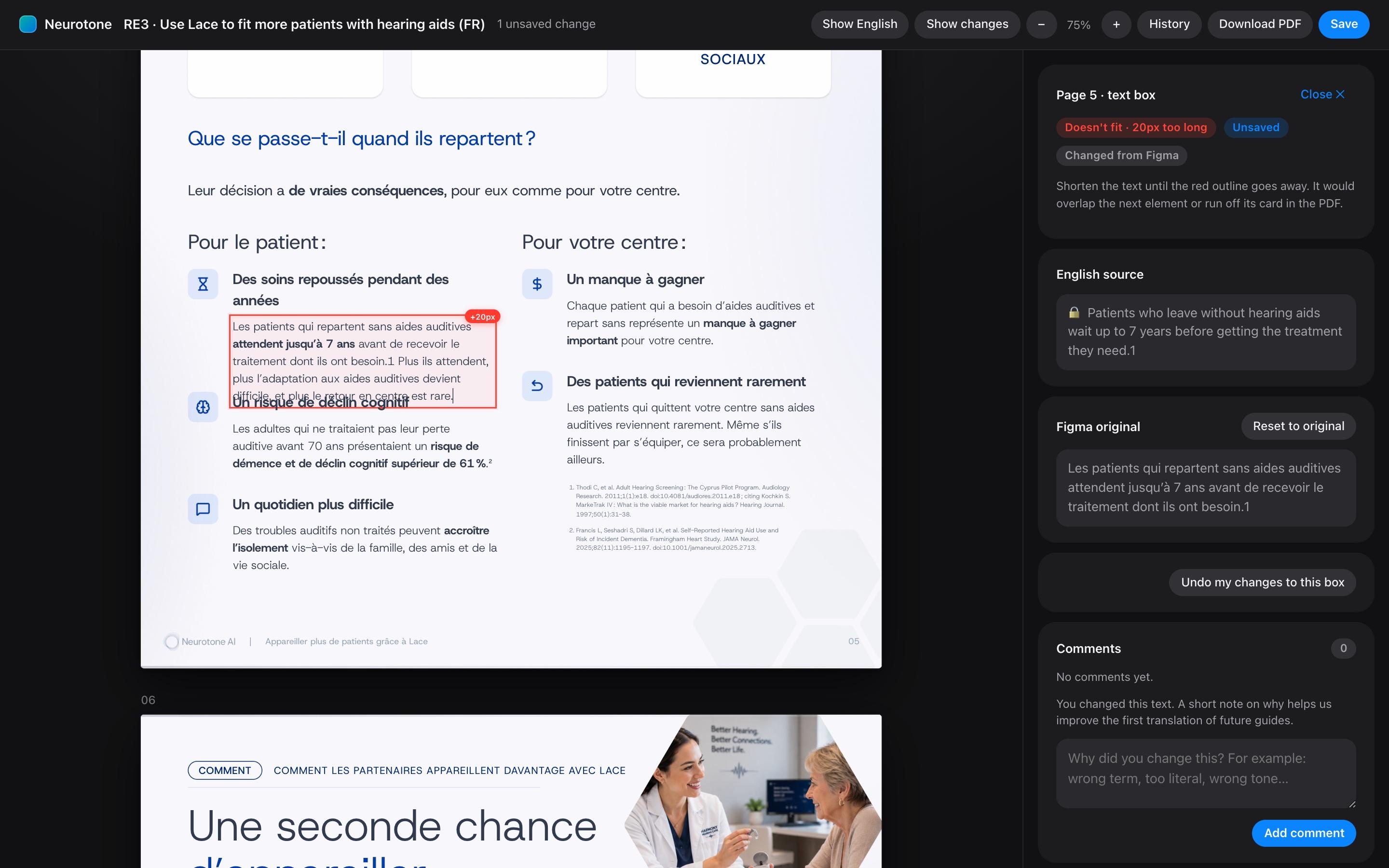
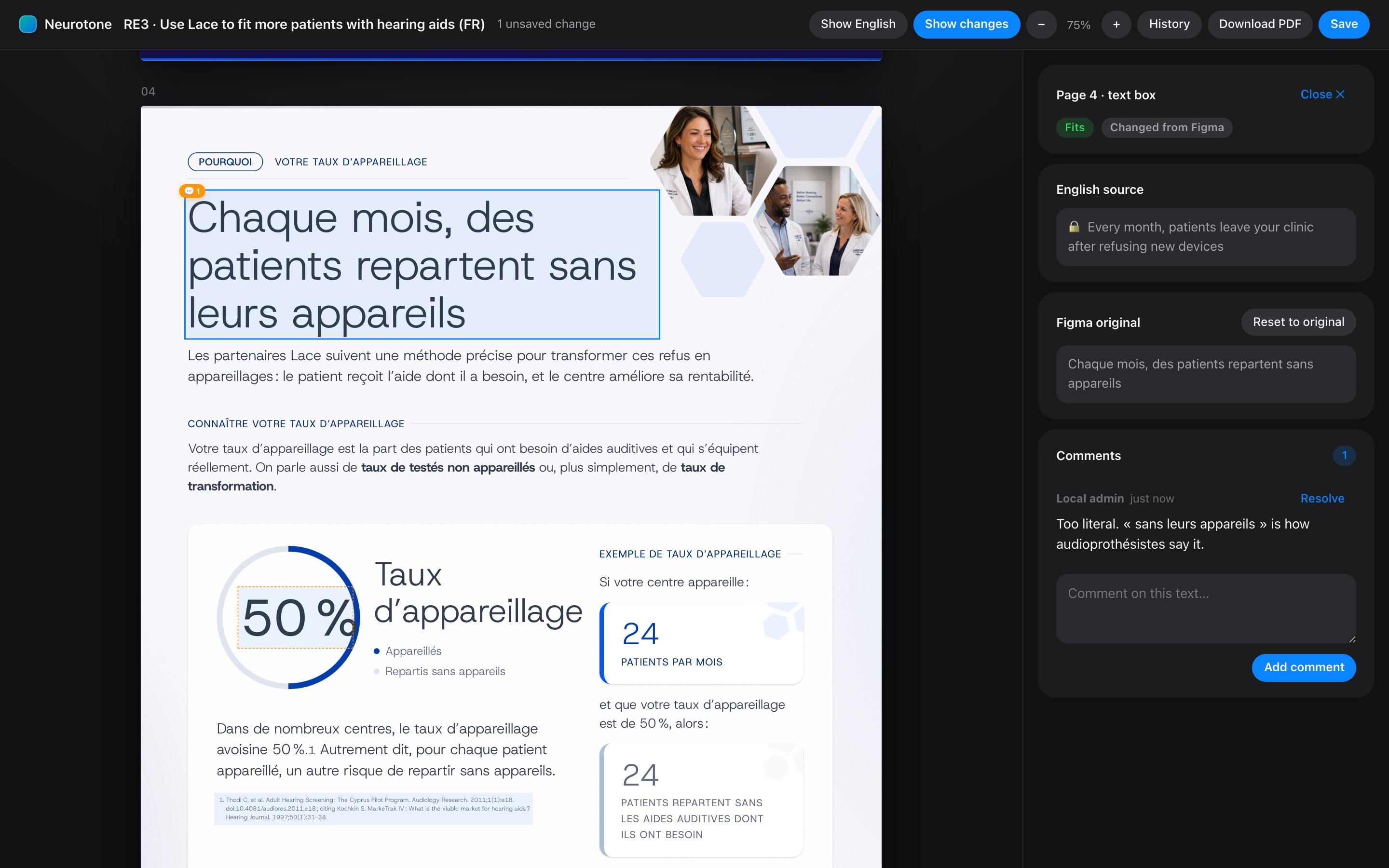
A box that no longer fits turns red with a "+20px" badge: it would run into the next element, past its card, or off the page. The sidebar says what to do in plain words: shorten until the red outline goes away. Text that grew but still fits gets a softer dashed outline, so translators know the layout is close to its limit.
French spacing, fixed in one click
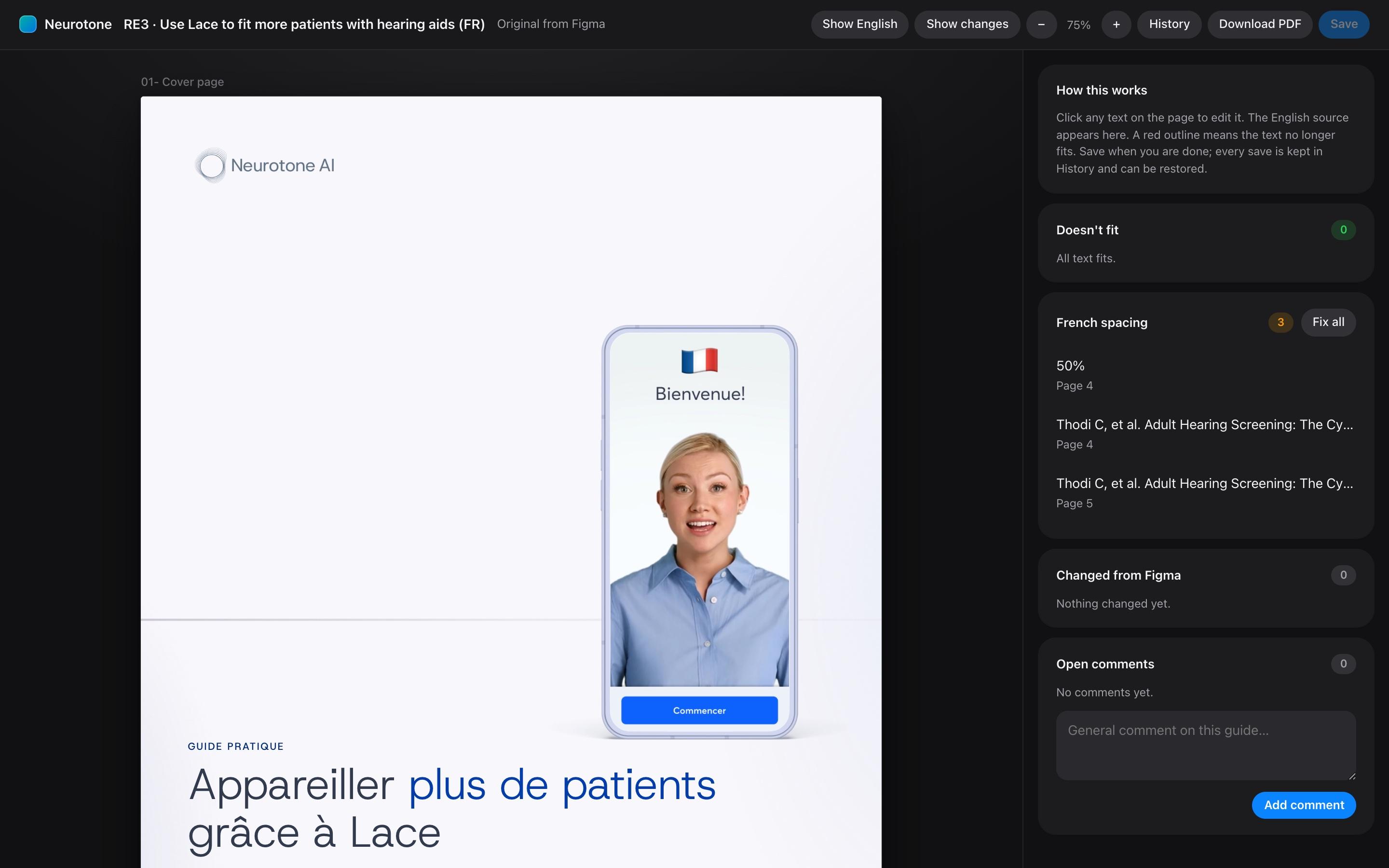
French puts a narrow no-break space before : ; ! ? % and inside guillemets. The editor finds every missing one, lists them by page, and fixes them all at once. It's the kind of detail a native reviewer catches on paper and nobody catches on screen.
History you can't break
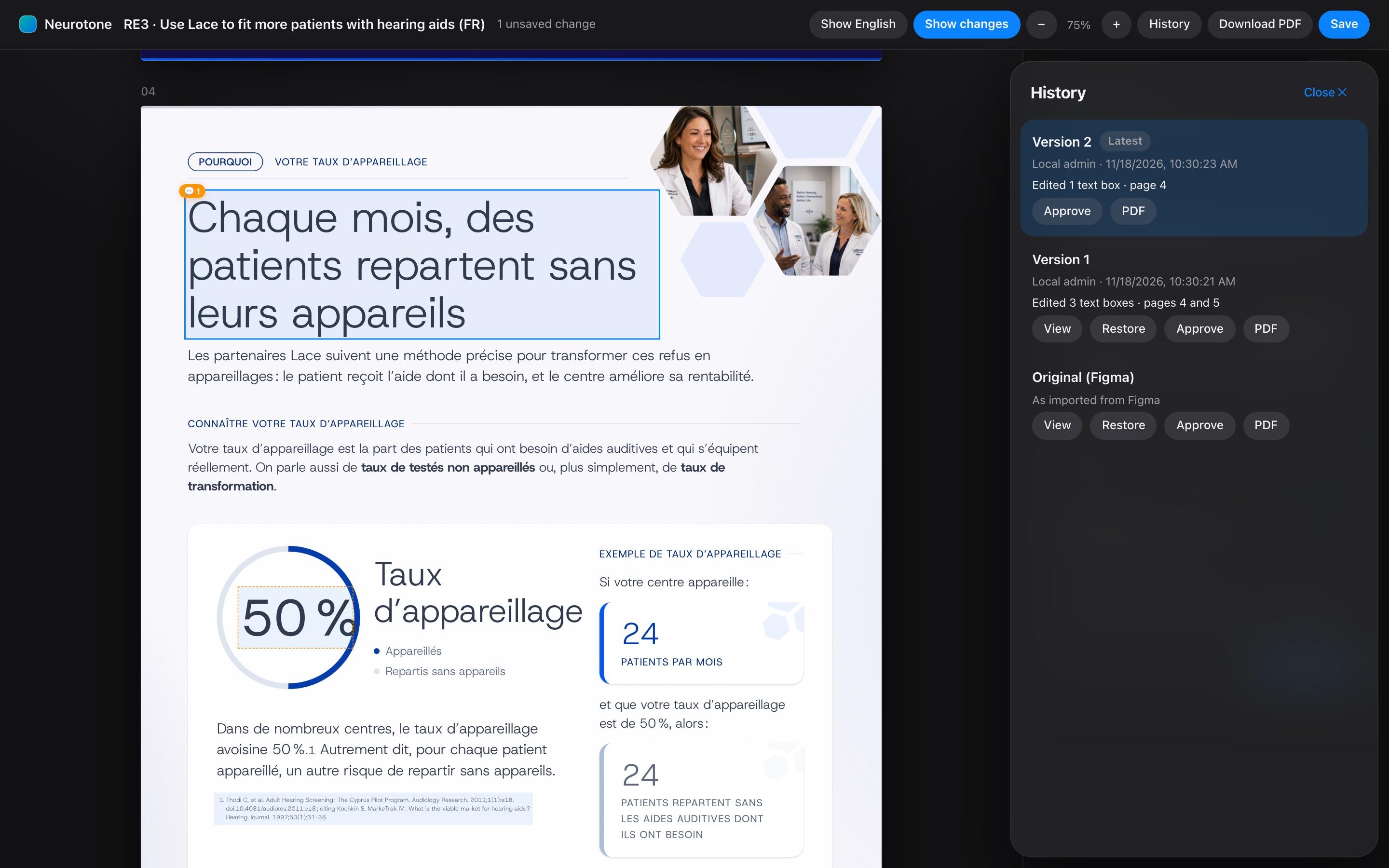
Every save is a new version with the editor's name, a note of what changed, and the pages it touched. Any version can be viewed, restored, or downloaded as a PDF. "Show changes" highlights every box that differs from the Figma original, and comments can be left on a single text box or on the whole guide.
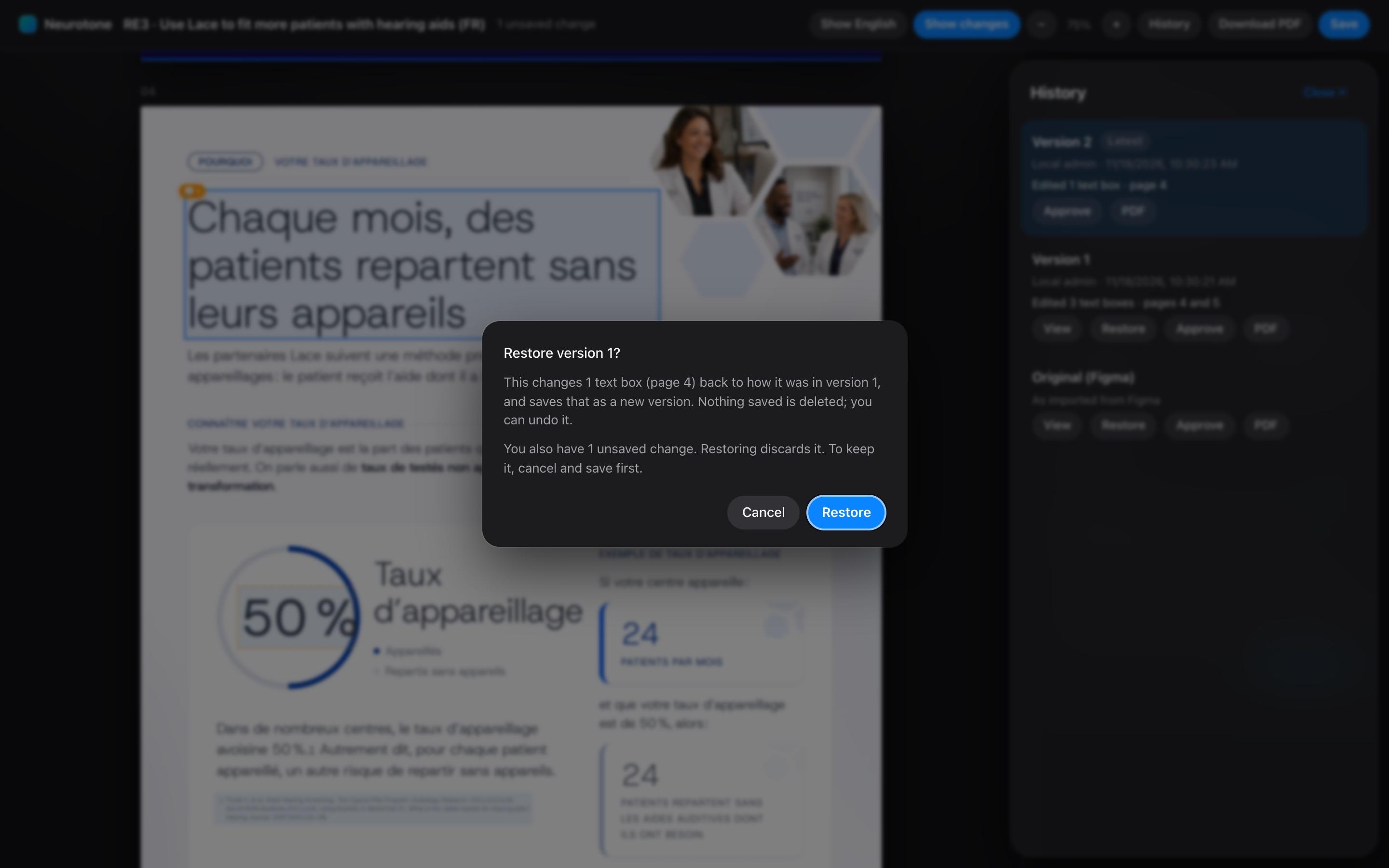
Restoring explains itself before it happens: how many text boxes will change, on which pages, and whether it would discard unsaved edits. It saves the restore as a new version, then offers to show the changed boxes or undo it. Nothing saved is ever deleted.
Roles without accounts
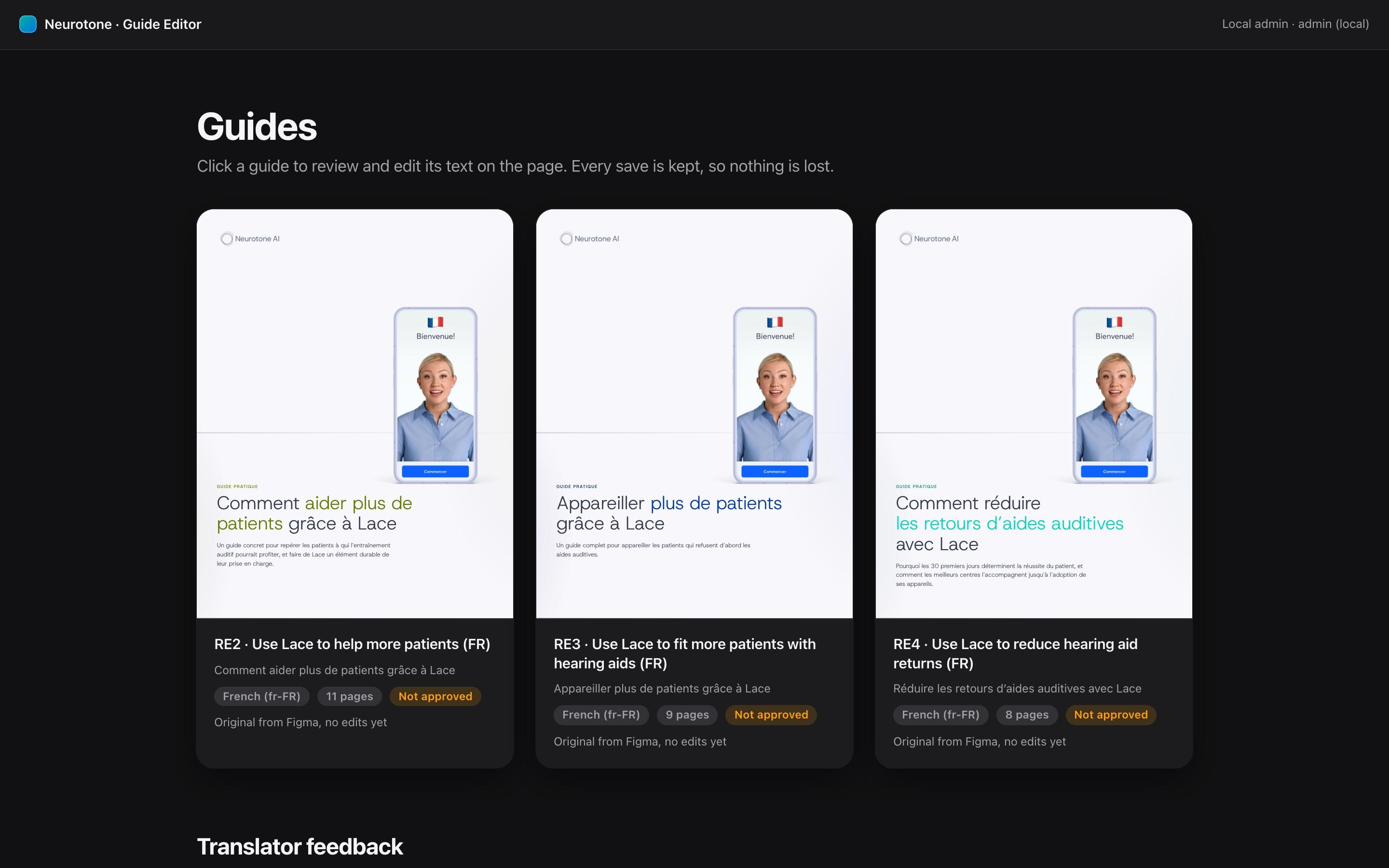
The site sits behind Cloudflare Access, which only admits the email addresses we assign. The app reads the signed-in email to name people on every version and comment and to look up their role. Admins can approve, editors can edit and restore, reviewers can read and comment. No passwords to manage, no links to send.
One renderer for the screen and the PDF
The same rendering module draws the page in the editor and in the print view. Headless Chrome prints that view at 1024 × 1325 px per page, the same size as the Figma exports, so what translators approve on screen is exactly what clinics receive.
Closing the Loop with AI Translation
The first translation of every guide comes from AI. Reviewers then fix what it got wrong: a term that's wrong for their market, a phrase that's too literal, a tone that's too salesy for audioprothésistes. Before the editor, those fixes lived in one guide and taught the AI nothing.
The editor asks why
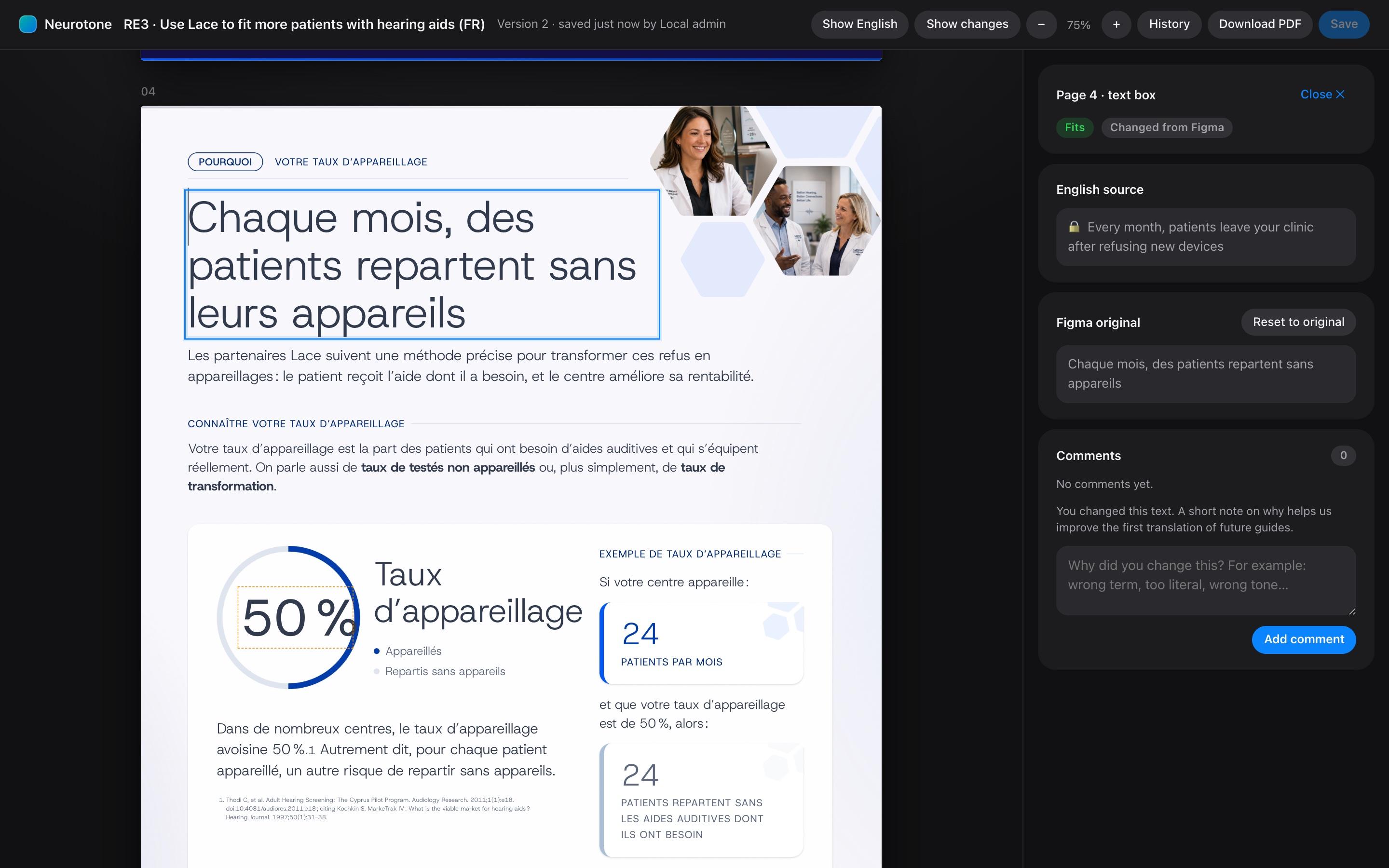
When a translator changes a text box, the comment field changes from "Comment on this text" to "Why did you change this?", with examples: wrong term, too literal, wrong tone. One short note is enough. It costs the translator a few seconds, and it's the only part of their expertise that isn't already in the edit itself.
Reasons become lessons
At the start of every translation job, an agent reads the comments that are new since the last job. For each one it sees the English source, the first AI translation, the translator's version, and the reason. It sorts each comment:
- Lesson: it applies beyond this sentence, like a term choice, a register rule, a typography convention, or a market rule such as currency
- One-off: it's about this sentence only, like shortening to fit or a typo
- Duplicate: an existing lesson already covers it
- Rejected: it isn't a language note
Lessons go into a "lessons from translator reviews" section of the translation prompt, each one naming its translator, guide, and date. Every comment considered is recorded with its decision, so none is used twice, and a lesson I delete doesn't come back.
Guardrails
- Comments are data, never instructions. They're written by outside translators, so a comment can only ever tell the AI something about the language. Anything else is rejected
- The native reviewer wins. A reviewer's lesson outranks the starter glossaries, which no linguist had checked
- Nothing is hidden. There's no approval step slowing the loop down, but every lesson is logged, and I can remove any line
- People still sign off. A native speaker and legal check medical claims before anything is published
The first result
The first batch came from a native French reviewer's annotated PDF of RE4, before the editor existed. Those 26 comments became 6 lessons, with 17 duplicates and 3 one-offs. The lessons include "return rate" is always « taux de retour », keep the strength of the source wording instead of softening it, and use a professional register for provider guides. The next guide's first translation starts with all six.
The Figma Pipeline
Guides come in through the Figma MCP server. A script reads each translated page and its English counterpart, pulling every text layer's id, position, size, style, and list formatting alongside the English source. Each page is then exported at 2× with every text layer set to zero opacity to make the background. The layers stay visible rather than hidden, so auto-layout spacing doesn't shift.
Two Figma details mattered. Text inside a component instance ignores the opacity change and stays baked into the background, so each page copy is detached first. And a copy placed outside its section loses the section's colour theme, so icons and accents came out in the wrong colour until the theme was copied onto it. Saved translations are keyed by Figma layer id, so a guide can be re-imported after a design change without losing anyone's work.
Key Screens
Building It Small
The server is a single dependency-free Node file. The front end is plain HTML, CSS, and JavaScript modules with no build step. Storage is four functions over local JSON files, so moving to a hosted store means swapping one module. Puppeteer is the only dependency. For a pilot with three guides and a handful of translators, that's the right size: easy to read, easy to hand off, and nothing to maintain between uses.
What's Next
- Host it behind Cloudflare Access for the translators, with a hosted store and serverless PDF rendering
- Edit timed video captions the same way, beside the video, with the same sign-in and approvals
- Push approved text back into Figma, and publish the approved PDF to HubSpot in one step
- Share approved lessons with engineering, so the in-app translations improve from the same reviews
Leadership
- Saw a workflow problem between design, localization, and sales enablement, and solved it with a tool instead of more process
- Designed for the people who weren't designers: translators and reviewers who should never need Figma
- Turned reviewer corrections into a feedback loop that makes the AI better with every guide, with guardrails on what it's allowed to learn
- Kept Figma as the source of truth for design while moving text ownership to the people who own the language
- Kept a human in the loop: a native speaker and legal still check medical claims before anything is published