Executive Summary
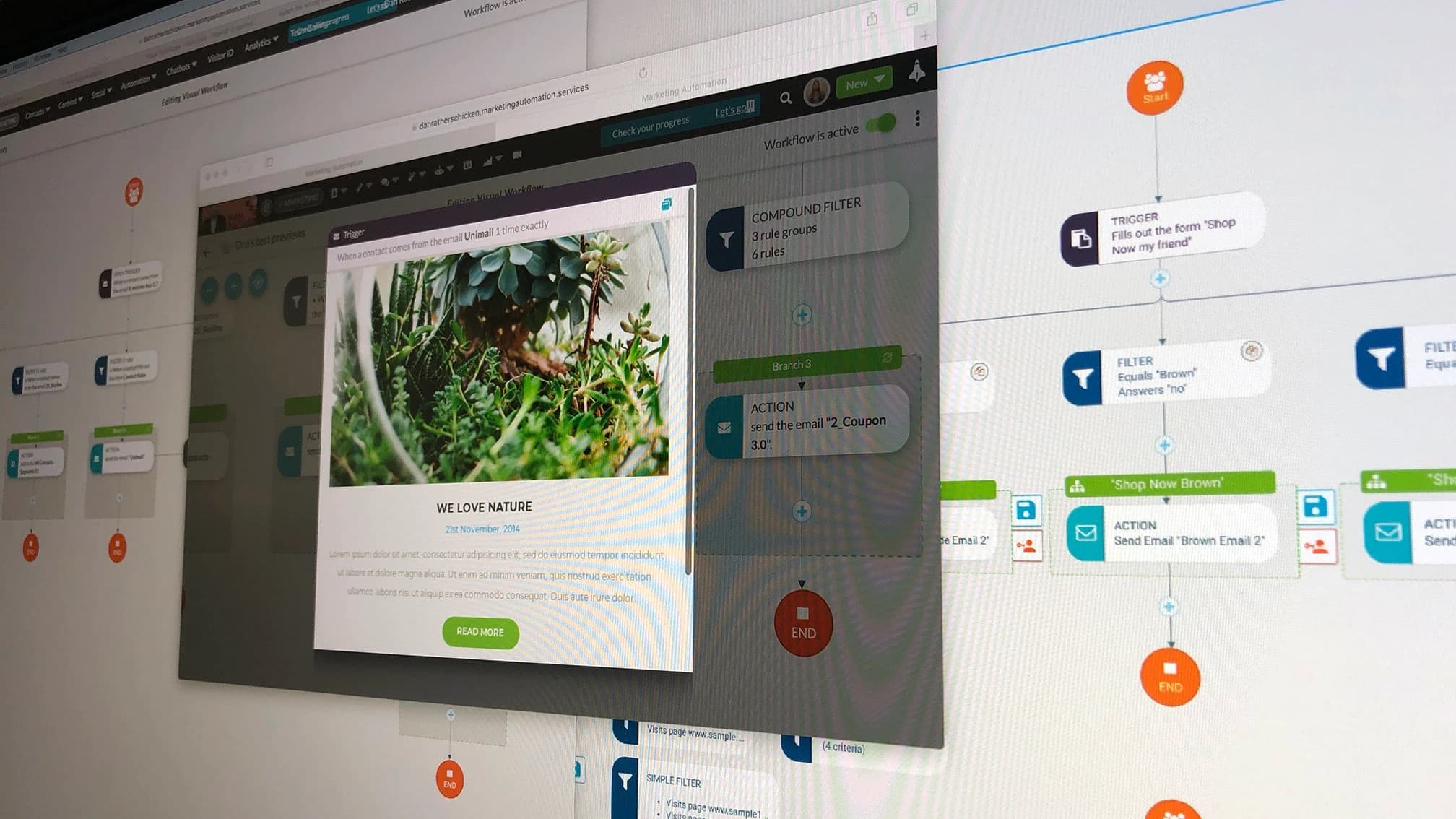
SharpSpring's automation engine let users automate marketing and admin actions based on what a lead did: fill out a form, open an email, visit a page. It was powerful, but it was dense with configuration options, and the learning curve was steep.
The goal was to let users build a workflow as a visual decision tree, so the logic, the branches, and the order of events would be clear at a glance, especially when someone came back later to review a workflow that was already running.
The Problem
Marketing automation is logic. A typical workflow says something like: when a contact fills out this form, check whether they meet these conditions, then send this email, wait five days, and branch depending on what they do next.
In the old builder, all of that lived in forms and dropdowns. Each rule was a row of selects. Building a workflow meant holding the whole decision tree in your head, and reading one back meant reconstructing it from a list of settings. For agencies managing automation across many client accounts, that cost time on every workflow and made mistakes hard to spot.
The Strategy
- Show the logic as a map. Every workflow becomes a tree that starts at one point and branches visibly, so the structure is the first thing you see.
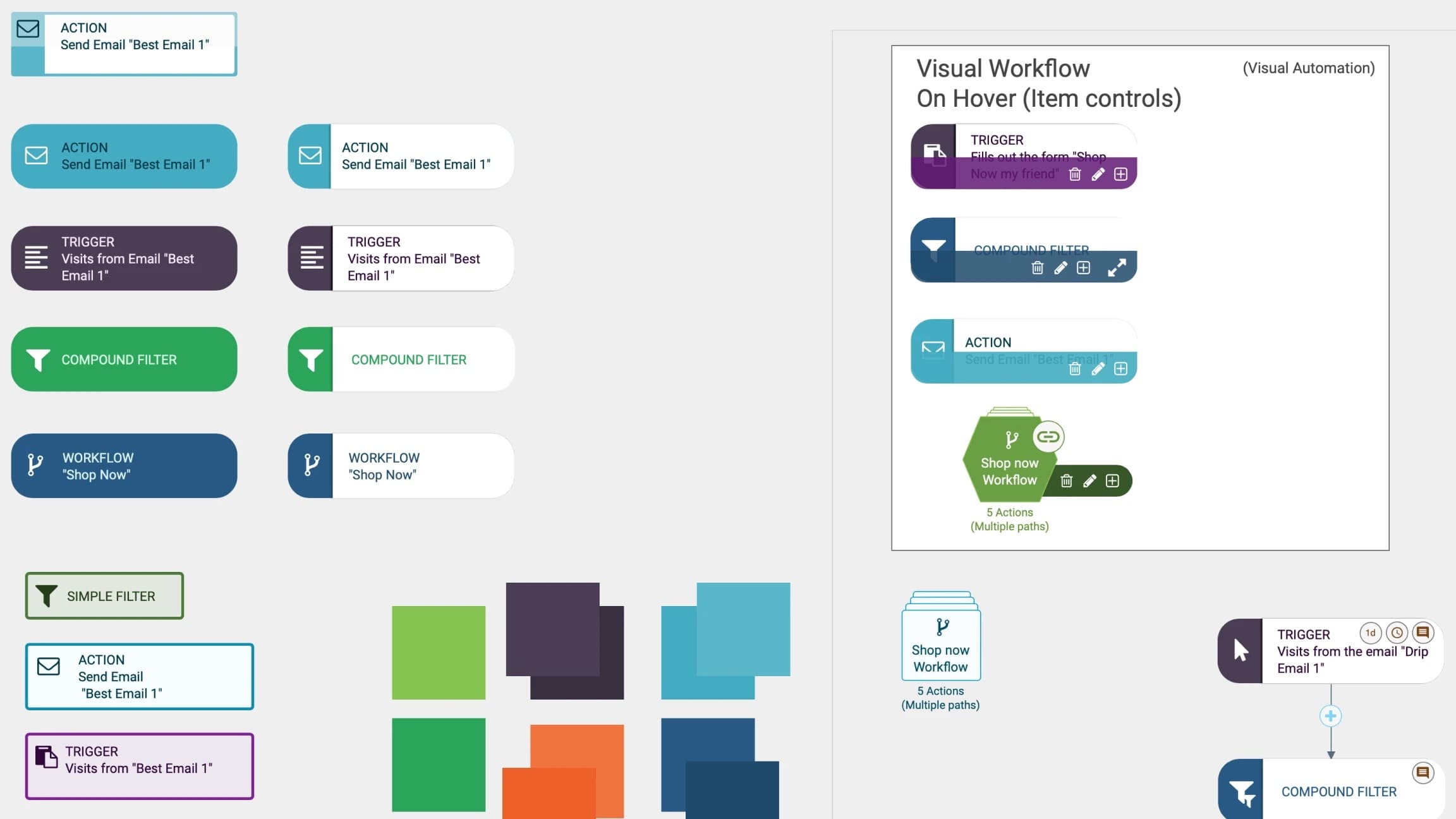
- Give each kind of step its own look. Triggers, filters, actions, and nested workflows each get a distinct color, shape, and icon, so a user can scan a workflow without reading every card.
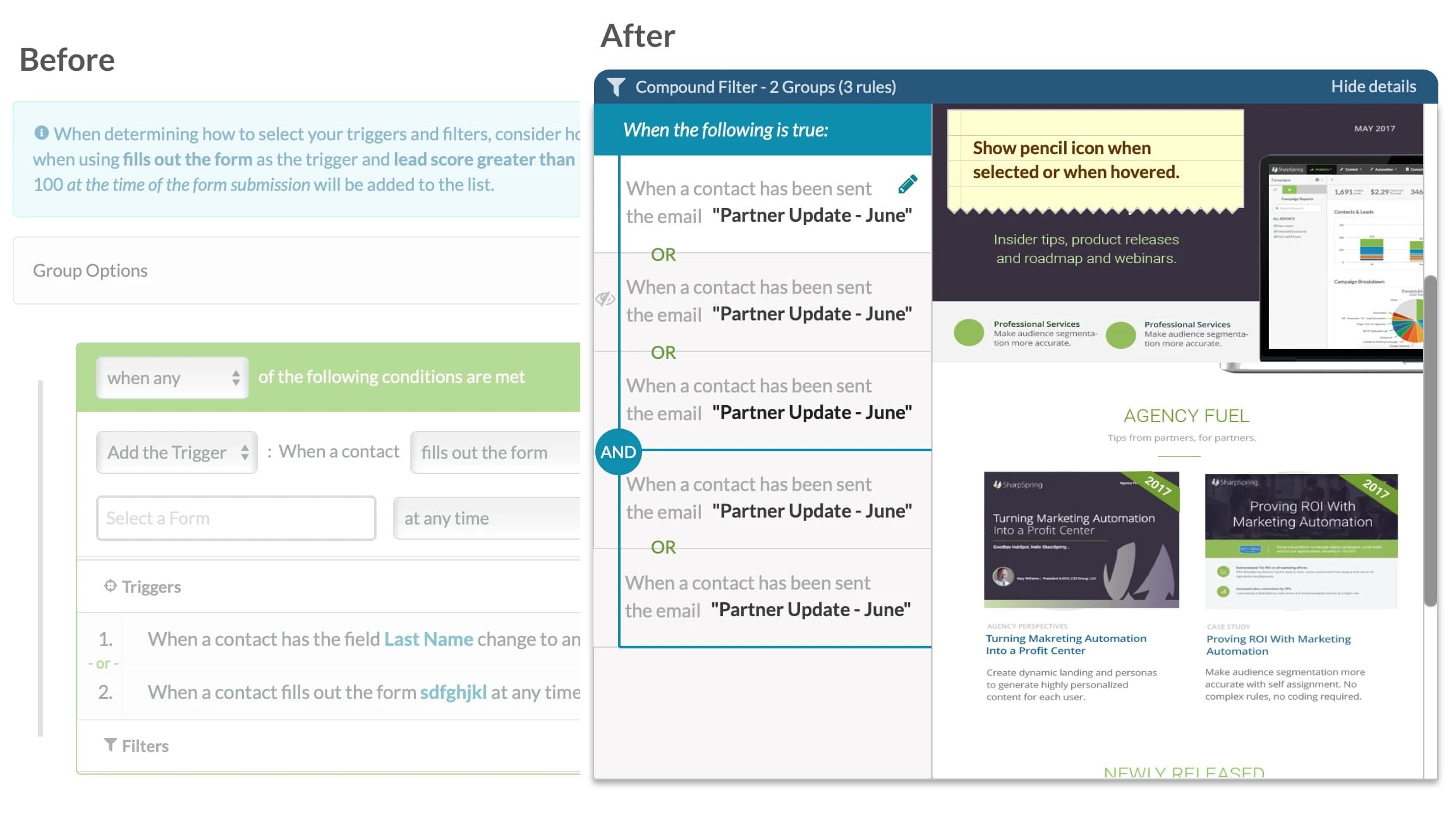
- Make rules read like sentences. Conditions are written the way you'd say them out loud, with the AND and OR logic drawn on the page instead of hidden in a setting.
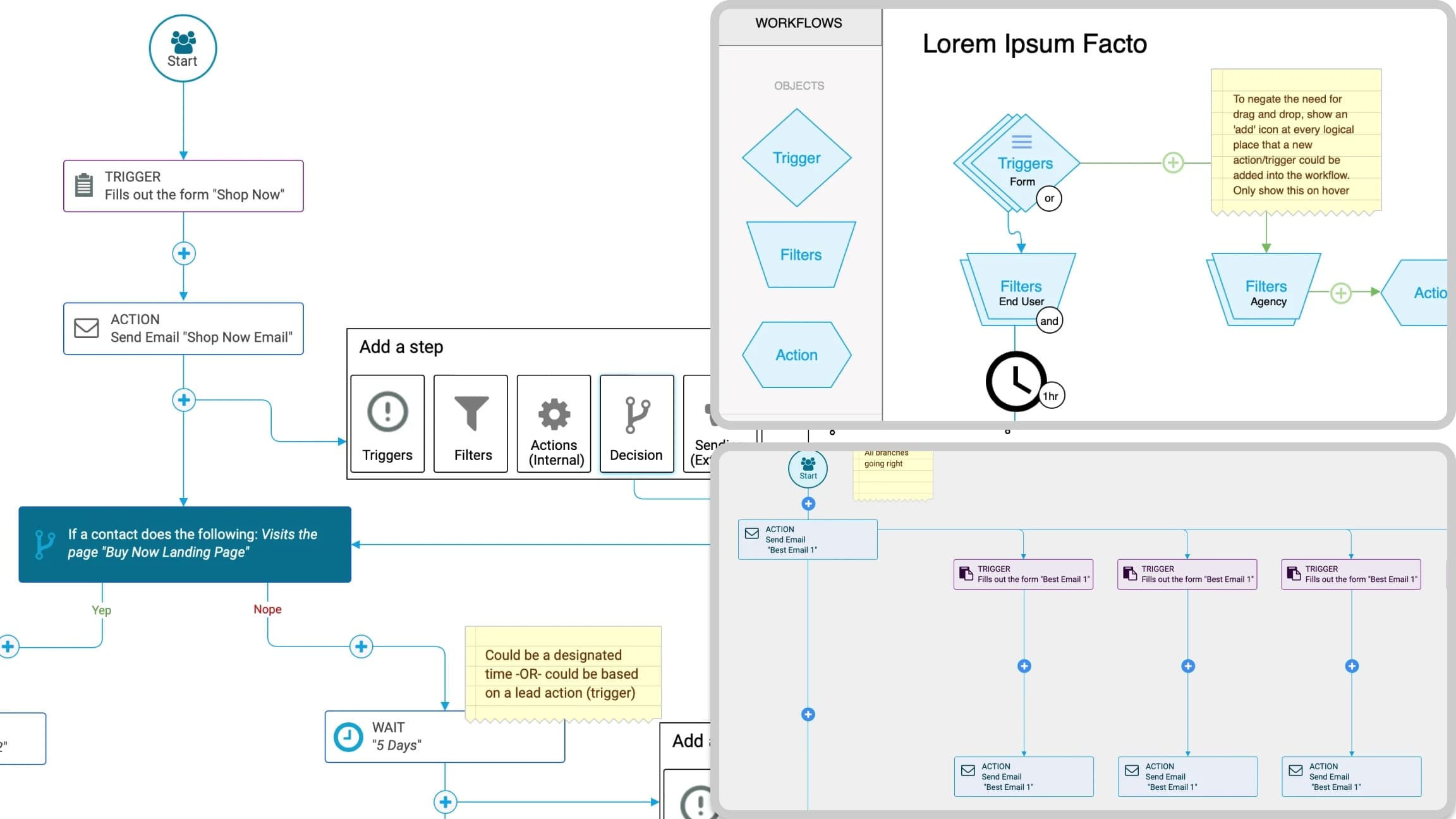
- Put the next step where it belongs. Instead of drag and drop, an add button appears at every point in the tree where a new step could logically go.
Key Design Decisions
A visual language for logic
Triggers, filters, compound filters, actions, and nested workflows each needed to be told apart instantly, in several states: default, hover, selected, and inactive. I built a small visual system for the step cards, with a color and icon for each type and hover controls to edit, delete, add, or expand a step in place.
Add buttons instead of drag and drop
Drag and drop is the obvious pattern for a builder, and it's a poor fit for branching logic: users have to know where a step is allowed to go before they can put it there. The early flows replaced it with an add button at every logical insertion point, shown on hover, opening a short menu of step types: triggers, filters, actions, and decisions. Users only see valid places to add a step.
Rules you can read
The before-and-after below shows the biggest change. The old compound filter was a stack of dropdowns. The new one summarizes itself in the header (“2 groups, 3 rules”), reads as plain sentences, and draws the OR and AND logic so the grouping is visible. Details collapse when you don't need them.
Complex workflows that stay readable
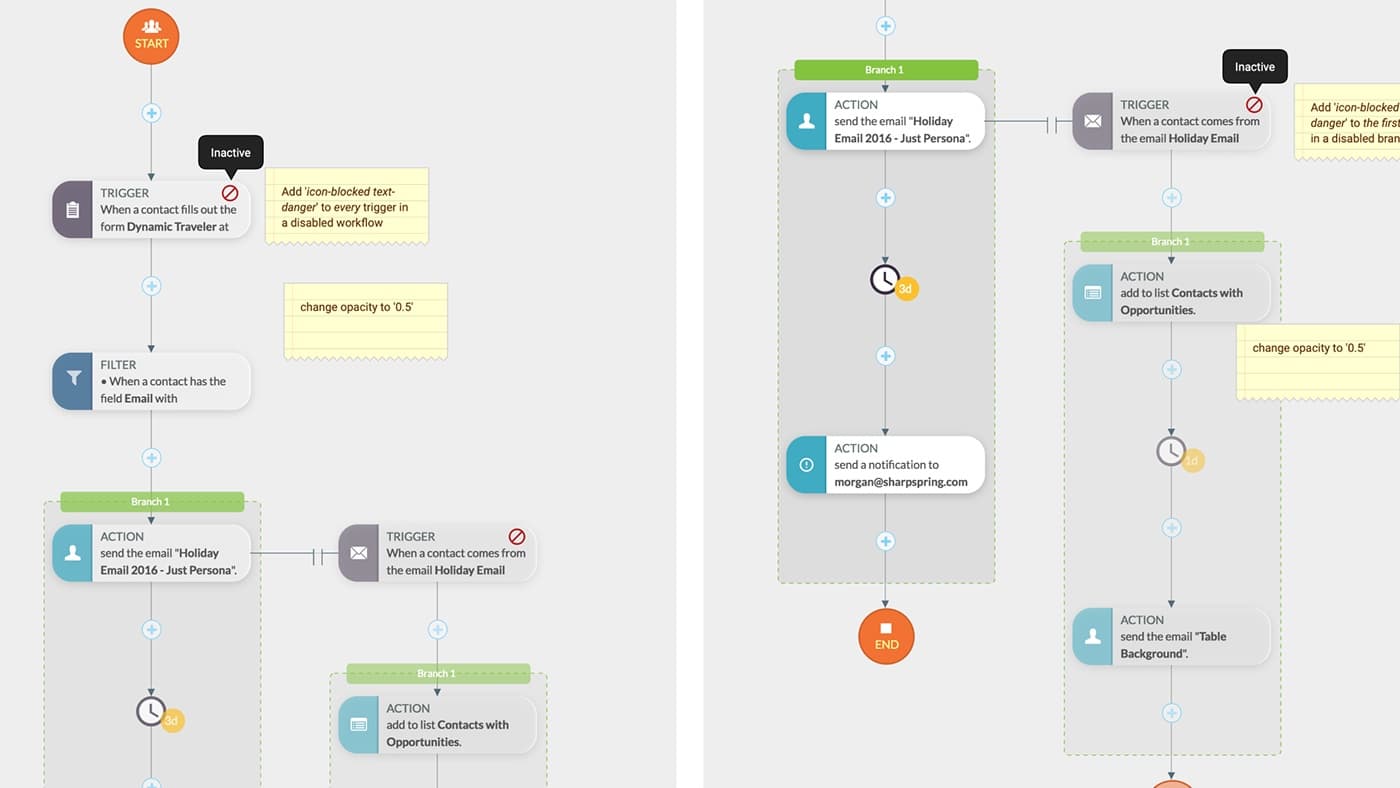
Real workflows get big. Nested workflows collapse into a single hexagon labeled with how many actions they contain. Wait steps carry a small badge with their delay. When a workflow is turned off, its triggers show a blocked icon and the steps fade, so it's obvious at a glance that nothing is running.
Process
We started with low-fidelity flows to show stakeholders how the builder would behave, and iterated on them several times before moving to visual design. The annotations on those early flows are where most of the interaction decisions were made.
Migration
Customers had built their businesses on the old builder, so we couldn't simply swap it out. The new builder did most of the same things, but it looked completely different, and switching someone overnight would have broken habits and workflows they depended on.
- Run both side by side. Existing accounts kept the legacy builder and could opt in to the new one when they were ready.
- Stop the old system from growing. New companies with no legacy workflows went straight to the new builder and never had the option to create legacy ones.
- Give people time first. Customers with legacy workflows had several months to get comfortable with the new builder before anything changed for them.
- Then set an end date. We announced a deprecation plan and a sunset date for the legacy builder and asked customers to move their own workflows over.
- Help anyone who couldn't. Companies that weren't able to migrate on their own got hands-on help from customer support.
The Result
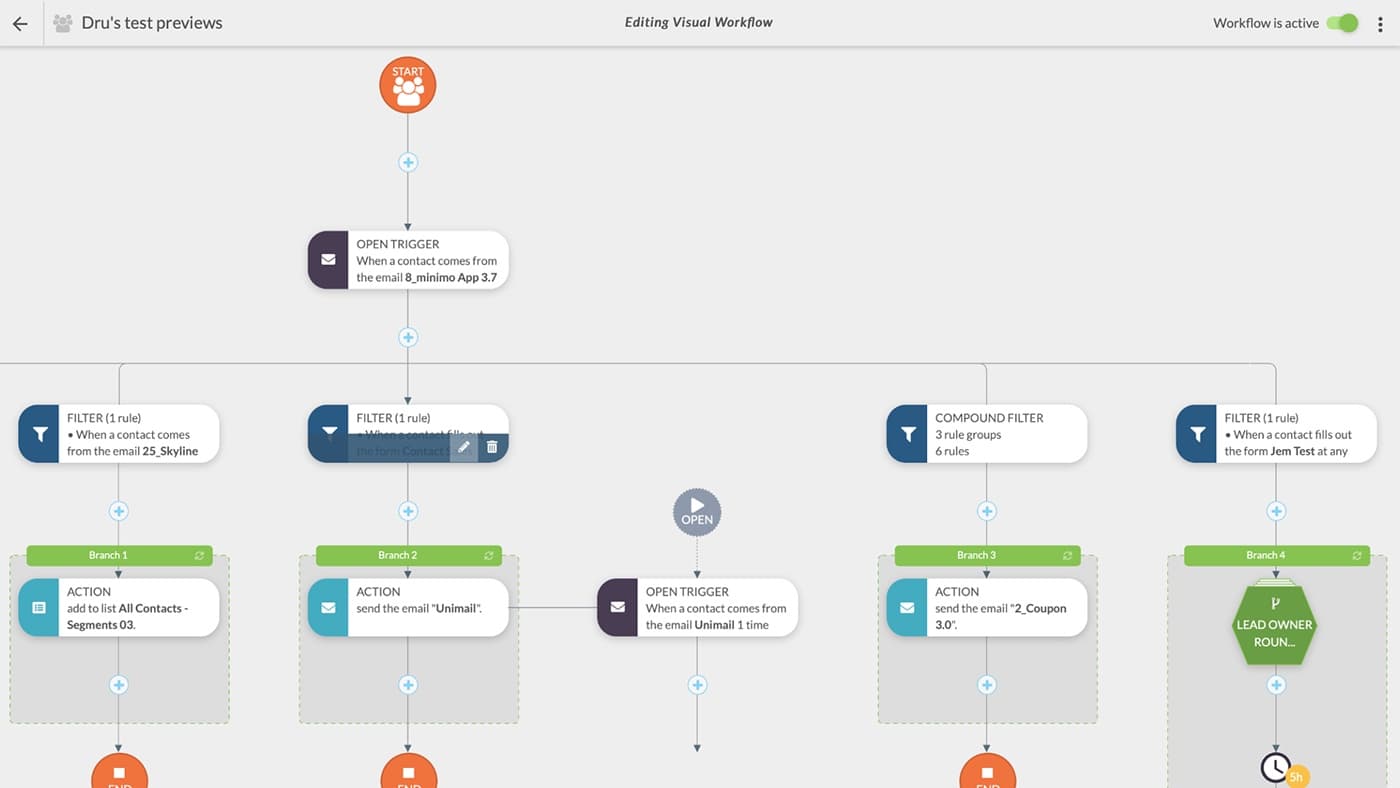
The finished builder turned a dense configuration screen into a map that marketers could build and read. One workflow could branch four ways from a single trigger, mix simple and compound filters, and hand off to a nested workflow, and still be understood by someone seeing it for the first time.
We didn't instrument it with metrics, but our support team heard about it constantly. Customers told them they were building workflows in a fraction of the time it used to take, and that they were setting up automations they had never thought to try before. When a tool gets easier to read, people start using the parts of it they didn't know were there.
What It Taught Me
Complex B2B tools don't get simpler by hiding options. They get simpler when the structure of the work becomes visible. The same idea runs through my later work: a provider portal that fits inside a clinical visit, and a design system where every component's purpose is obvious from how it looks.